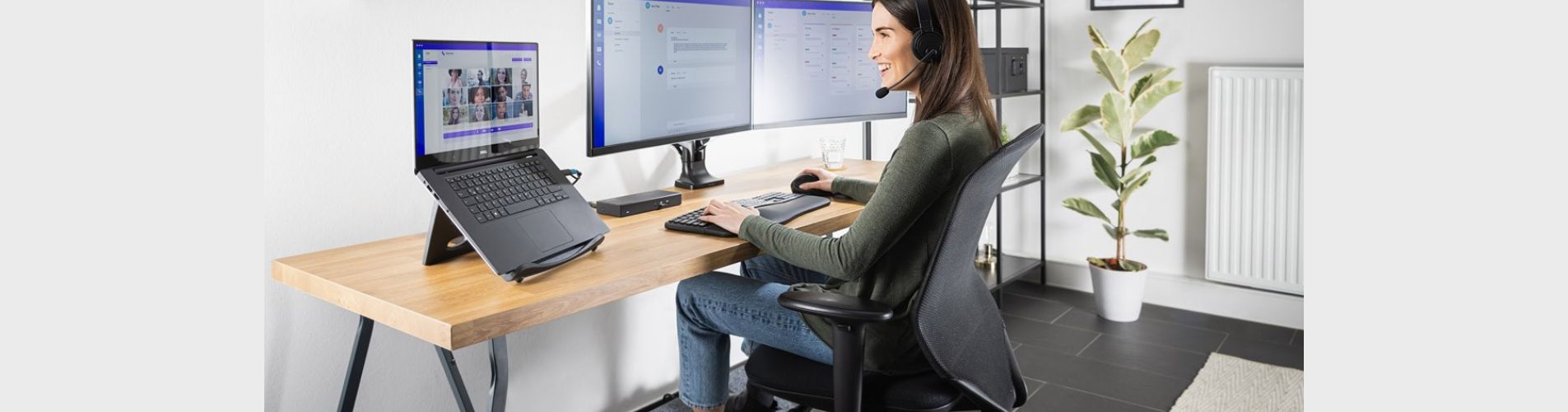
Remote work has become a permanent reality for many professionals—and while the flexibility is great, the wrong setup can take a serious toll on your body and focus. Slouching over a laptop at the dining table or enduring long hours in an unsupportive chair isn’t just uncomfortable—it’s unsustainable.
Enter ergonomics: the science of designing spaces that support human performance and health. Building an ergonomic work-from-home setup doesn’t mean a full office renovation. With a few smart gadgets and thoughtful tweaks, you can transform your workspace into a comfort-first, productivity-boosting zone.Here’s a comprehensive guide to the best ergonomic tools and tech to keep you upright, energized, and working smarter—not harder.
1. Start with the Foundation: An Ergonomic Chair
Before diving into gadgets, let’s address the throne. A supportive chair is the foundation of your entire setup. Look for one with:
- Adjustable lumbar support
- Armrests that align with desk height
- Seat depth that supports thighs without pressure behind the knees
- Breathable mesh or cushioned upholstery
Brands like Herman Miller, Steelcase, and Secretlab are great options, but even budget models with adjustable features can dramatically improve comfort. Bonus: add a footrest if your feet dangle or you sit cross-legged.
2. Elevate Your View: Monitor Riser or Adjustable Arm
Neck strain is one of the most common complaints in poorly arranged workspaces. If your monitor isn’t at eye level, you’re likely looking down all day—putting stress on your spine.
Enter: Monitor risers and adjustable arms.
These inexpensive tools raise your screen to eye level so your head remains upright. A monitor should be:
- About 20–30 inches from your eyes
- The top third of the screen aligned with your line of sight
Look for risers with built-in storage to declutter your desk, or choose a gas-spring monitor arm for fluid height and angle adjustments.
Pro tip: If you use a laptop, get a laptop stand and pair it with an external keyboard and mouse.
3. Say Goodbye to Wrist Pain: Vertical Mouse & Ergonomic Keyboard
Standard computer mice force your wrist into an unnatural horizontal twist. Over time, this posture can lead to carpal tunnel, fatigue, and general wrist pain.
A vertical mouse solves this by encouraging a handshake grip that keeps your wrist in a neutral position. Models from Logitech, Anker, or Evoluent offer comfort without sacrificing functionality.
Pair this with a split or low-profile keyboard designed for ergonomics—such as the Logitech Ergo K860 or Microsoft Sculpt. These keyboards allow your arms to rest in a more natural, open angle, reducing tension in your shoulders and wrists.
Optional add-on: Wrist rests made from memory foam or cooling gel add extra comfort.
4. The Unsung Hero: Smart Desk Lamp with Adjustable Brightness
Lighting affects not only your visibility but also your mood and energy. A dim room leads to eye strain, while overly harsh lighting can cause headaches.
A smart desk lamp solves both problems. Look for one with:
- Adjustable brightness
- Color temperature control (cooler light for focus, warmer for relaxation)
- Flexible arms or heads for precise positioning
Some lamps come with auto-dimming sensors, USB charging ports, or touch controls. A well-lit workspace helps reduce visual fatigue and boosts mental clarity.
5. Upgrade the Surface: Sit-Stand Desk or Desk Converter
A sedentary lifestyle is one of the biggest downsides of working from home. Standing desks are a powerful way to break up hours of sitting while maintaining productivity.
If you’re not ready to invest in a full sit-stand desk, start with a desk converter. These sit on top of your existing desk and allow you to lift your keyboard and monitor to a standing height.
Movement encourages blood flow, burns more calories, and helps improve focus. Try alternating sitting and standing every 30 to 60 minutes.
Pro tip: Pair your standing routine with a soft anti-fatigue mat to support your joints.
6. Cable Chaos? Tame It with Tech Organizers
A cluttered workspace is a stressful workspace. Tangled cords, scattered chargers, and knotted cables aren’t just annoying—they're also hazards.
Invest in:
- A cable management box to hide power strips
- Magnetic cable clips to keep frequently used chargers in reach
- A charging dock or hub for your phone, earbuds, and smartwatch
Keeping cords out of sight and devices charged keeps your desk clean—and your mind clear.
7. Boost Mental Focus: Noise-Canceling Headphones or White Noise Machines
Distractions are inevitable, especially in a home environment. Whether it’s barking dogs, street noise, or family conversations, your workflow can suffer.
Noise-canceling headphones block distractions while giving you the option to focus-enhancing soundscapes or calming music. For those who prefer ambient sound, a white noise machine or app like Noisli can help mask background noise without music.
Pro tip: Look for headphones with a “transparency” mode so you can stay aware of your surroundings when needed.
8. Ergonomic Extras: Webcam, Blue Light Glasses & Posture Apps
- External Webcam: Avoid the dreaded up-the-nose laptop camera angle. A webcam mounted at eye level helps you look professional and reduces awkward posture during video calls.
- Blue Light Glasses: These filter out harsh light from screens and may reduce eye strain during long workdays.
- Posture Apps/Reminders: Tools like Upright Go, or posture-tracking apps, can gently remind you to straighten up throughout the day.
Sample Daily Ergonomic Flow
Morning:
- Start seated with your desk at elbow height
- Use your vertical mouse and ergonomic keyboard to answer emails
- Adjust your lamp to cool daylight mode
Afternoon:
- Transition to standing with a converter or sit-stand desk
- Put on noise-canceling headphones for deep work
- Use a foot rocker or shift your weight every 20–30 minutes
Evening:
- Lower brightness and switch lamp to warm light
- Use a posture reminder app or stretch at your desk
- Power down gadgets with a tidy charging hub
Comfort Is Productivity
Creating an ergonomic home office doesn’t require a massive budget or tech overhaul. It’s about making smart choices—adjusting what you already have and adding a few purposeful tools to support your health and productivity.
When your workspace works for you, your body feels better, your mind stays sharper, and your workday becomes more sustainable. Whether you're just starting to build your home office or upgrading piece by piece, these gadgets are worth the investment—not just for your job, but for your well-being.